


TL;DR
- Device code phishing exploits a legitimate Microsoft authentication feature to bypass both passwords and MFA, giving attackers persistent account access.
- The most effective defense is disabling device code authentication wherever it isn’t strictly required, and restricting exceptions to specific approved devices.
- Resetting a compromised user’s password isn’t enough—sessions must be explicitly revoked to cut off the attacker’s persistent access.
Phishing attacks continue to evolve, often exploiting legitimate features for malicious purposes. One increasingly leveraged vector is the abuse of Microsoft’s device code authentication. This threat, known as “device code phishing,” highlights the critical need to revisit foundational security guidance to prevent persistent account access.
We’re sharing this reminder now because we’re seeing an increase in PhaaS techniques using it, and this is an instance where simply prioritizing tighter configurations can make a big difference.
The attack vector
Microsoft designed device code authentication to allow users to connect shared devices and kiosks to their accounts. However, Microsoft itself recommends “organizations [should] get as close as possible to a unilateral block on device code flow.”
Threat actors are exploiting this capability for sophisticated phishing attacks. The attack begins with a phishing email that instructs the target to enter a code. If the target complies, the attacker receives a valid session token, effectively bypassing both the user’s password and multifactor authentication (MFA) to gain persistent access to the account.
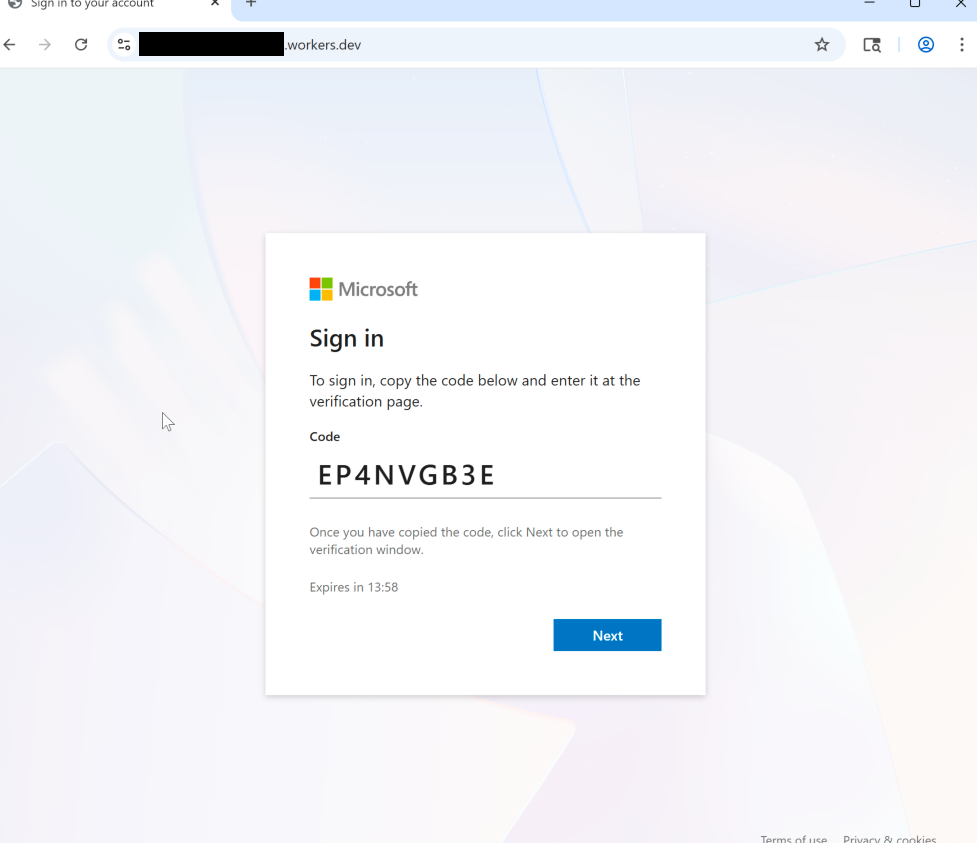
Prevention and response
Our most effective defense lies in proactive configuration management. The simplest and most impactful step to counter this attack is to disable device code authentication wherever it’s not strictly necessary. Where this feature is required, your security team should create exceptions only for the specific devices that need it. Microsoft provides detailed instruction and guidance on this.
If security teams don’t restrict and block the use of device code authentication, they must be prepared for the appropriate response when an attacker successfully gains access. If an attacker compromises an account, user sessions need to be immediately and explicitly revoked. Simply resetting the user’s password is not sufficient to terminate the attacker’s persistent access.
References for further reading
- Microsoft’s conditional access guidance: Microsoft Conditional Access Policy
- Huntress blog regarding a recent campaign: Huntress Blog on M365 Token Replay Campaign