
TL;DR
- Get the inside scoop on how we’re choosing to advance our detections against RMMs
- RMMs are notoriously difficult to detect against because there’s so many of them, and they also have appropriate business use cases
- We’ve developed five new detections showing good results so far–we’ll keep monitoring and updating them as we learn more
An RMM is a remote monitoring and management tool. If you’ve ever worked in corporate, odds are you’ve had to Zoom with your IT team so they could use one of these to get rid of that weird notification you can no longer ignore. If you work in cybersecurity, seeing the term RMM might make you flinch, because they’re also used maliciously by attackers to gain full access to devices–and they’re hard to spot.
RMMs have both helpful and malicious uses, and the market for them is vast, making it harder to spot when their presence is nefarious. Historically, they can be a blind spot for detections because of this–they often come with low precision and a high false positive rate. And after one of our standard weekly detections meetings and an increase in the popularity of RMMs in 2025, our teams set out to change that.
How we’re detecting malicious RMMs
The first issue with creating RMM detections is the sheer number that exist. The first hurdle was determining how to detect all of them, before we could even consider how to detect the malicious ones. Originally, we considered asking customers to provide a list of approved RMMs, but decided against it for two reasons. First, that places the burden on the customer to manage and update their list on a regular basis. We exist to make their lives easier, not harder, so that was out. Second, RMMs go by a variety of names (even for the same tool), and with no consistent naming convention, that was out, too.
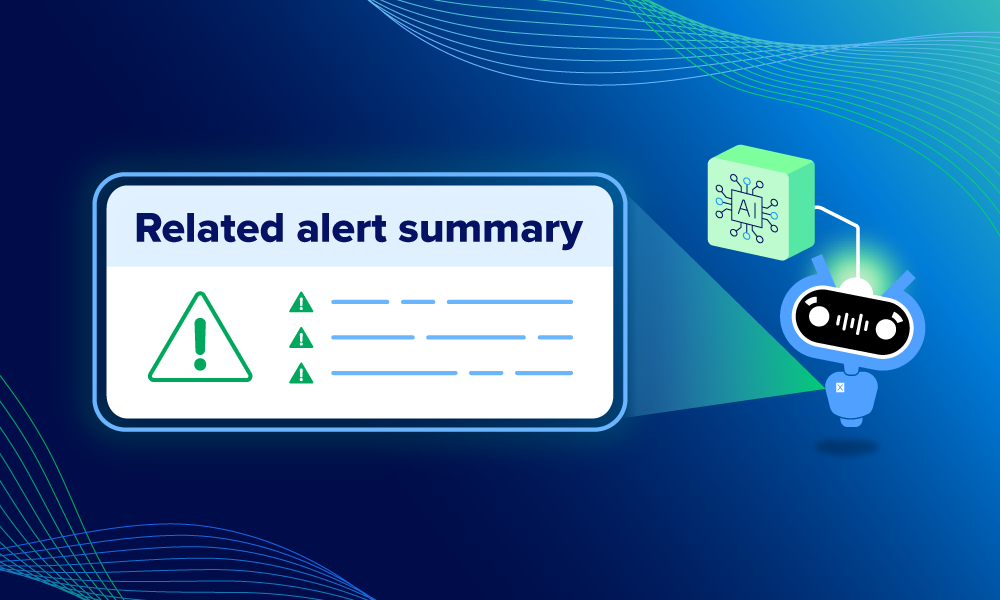
So instead, we employed the help of our bot Ruxie. For anyone who doesn’t know, Ruxie is our intelligent automation engine. She uses Expel AI to anticipate, contextualize, prioritize, and adapt. In this particular case, we asked Ruxie to detect any RMM from a huge list we gathered–with some parameters–to get us started. Specifically, we asked Ruxie to help us identify important contextual indicators of suspicious behavior based on the list. From there, we focused on narrowing down the scope of the other detections so that when layered together, they gave us good context and alerted us to malicious RMMs before they could act.
After several brainstorming sessions across various teams, we settled on five detections to help us detect malicious RMMs. These were created in tandem with each other, and we’ll continue to iterate on these detections, and even add more if needed as we continue to track the success of them.
The detections are:
- The first detection is simply an ongoing (not yet exhaustive, unfortunately) list of known RMMs. Specifically, this detection alerts when an RMM is the source process of an alert and the RMM tool is not prevalent in the customer’s environment.
- The second detection looks for multiple RMM tools on a single host. Attackers know some targets are softer than others, so they will try multiple RMMs in succession until they succeed.
- The third detection correlates multiple RMM-associated network connections coming from a single host.
- The fourth detection looks for some RMMs we’ve identified that only do malicious work, so their presence should always trigger an alert.
- The fifth detection looks for RMM tools using non-standard ports. A normal user would not change this part of an RMMs configuration, so it’s suspicious to see one using a non-standard port.
RMM detections in action
We didn’t just create these detections and hope for the best—we’re actively monitoring and reviewing them in our weekly detections meetings, and we’ve seen great signs of success so far. First, we set a rule to ask Ruxie to determine “on how many unique devices was the RMM tool found in X time period?” and if the answer meets our threshold, the alert will auto-close. This alone has closed 80% of alerts, making the remaining volume manageable for the SOC. The assumption here is that frequently seen RMMs are used by the customer for benign use cases.

Example: Multiple RMMs on a single host
In this example, we caught pen testing activity from a customer. Our new RMM detections alerted for two different RMM tools on a single host. That’s sketchy, considering many organizations would likely only use one RMM tool across the board for valid work. It can also be a sign that an attacker is hedging their bets by trying multiple RMMs in case one (or more) is banned by their victim’s org. The new detections enhanced the standard vendor alerts here by taking two individual events—one alert per RMM on the same host—and pulling them together.
This additional context raised the suspicion level, and the alert was escalated. By simply elevating this context, the alert went from a noisy, low-severity CXDR “Uncommon remote monitoring and management tool” alert (with a confusing description, we might add), and turned into a high-severity alert. Not only does this context help our SOC analysts triage better, but it also resolves the incident sooner, reducing risk for our customer. Here’s what the detection used to display before our updates:
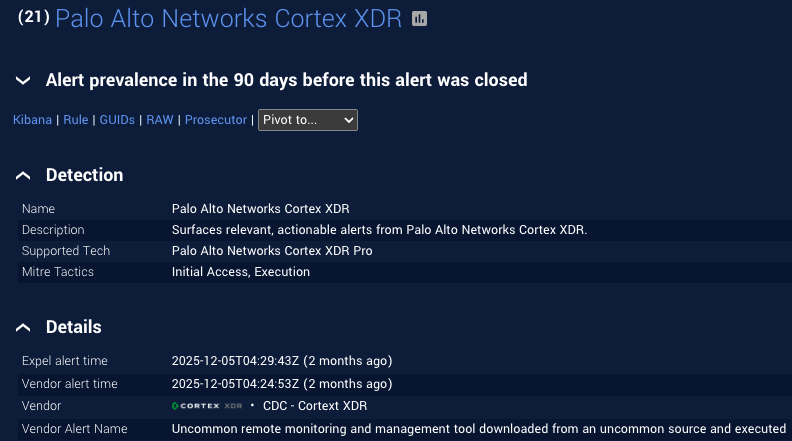
And the new detection alert looked like this:
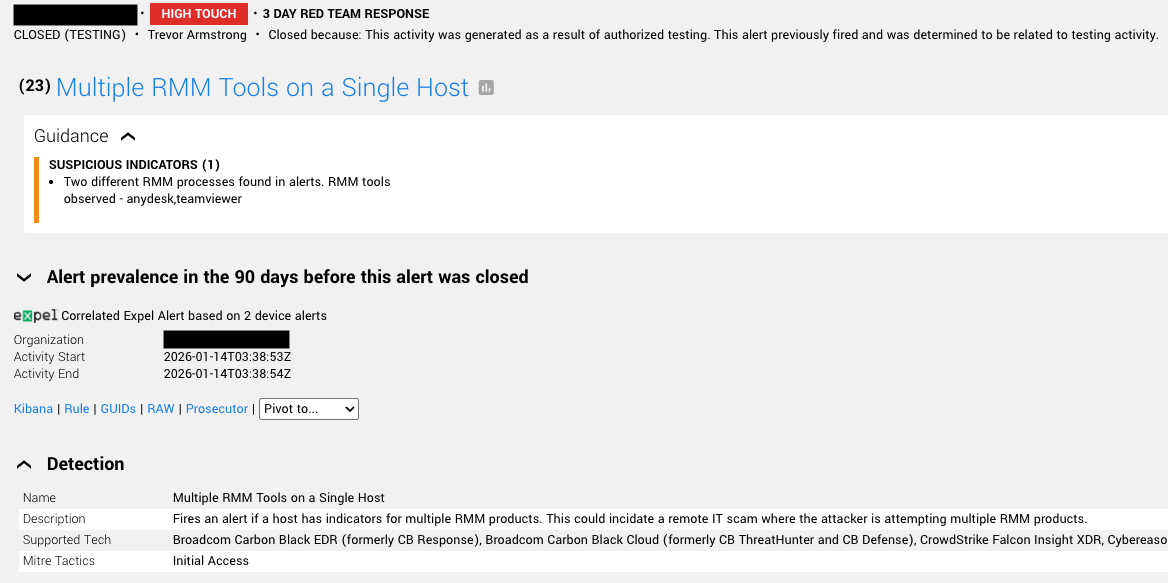
Who doesn’t love more context? Thankfully, the risk was nullified once we were alerted it was a customer pen testing scenario, but it was also validation that these new detections are working.
Example: Multiple RMMs from a single source
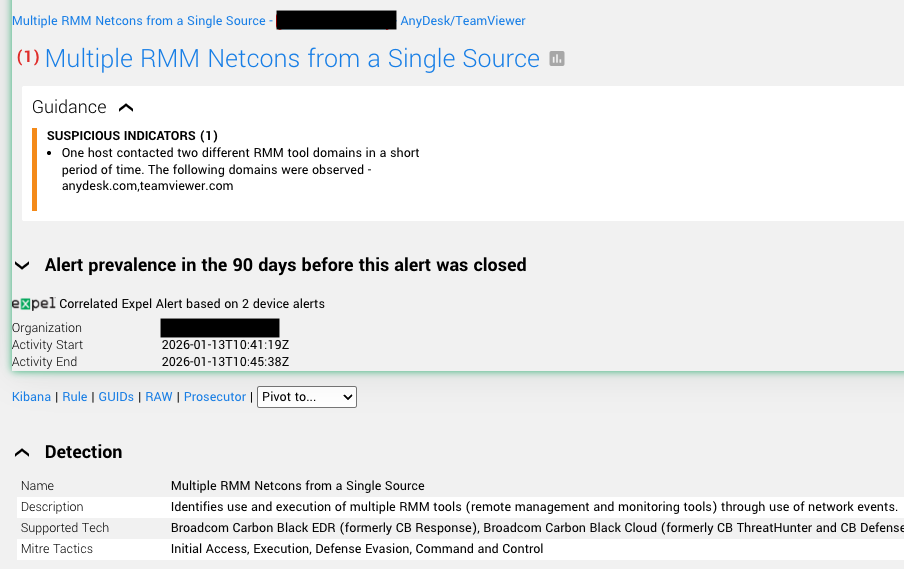
Similar to the previous example, this alert was an enhanced version of the standard vendor version we previously managed. Our new detections identified the use and execution of multiple RMM tools—through the use of network events—and identified a host contacting two different RMM tool domains within a short period of time. As shown in the alert, we’ve enhanced the vendor alert by adding the correlation notes directly in the alert, providing additional context that escalates the severity of the alert. Previously that wasn’t possible with the standard vendor detections in place.
While this is just the beginning of our work for RMM detections, we’re hopeful about what we’ve accomplished so far. RMM detection is a complex space, and by working together across a variety of teams, we’re chipping away at that complexity one day at a time.